
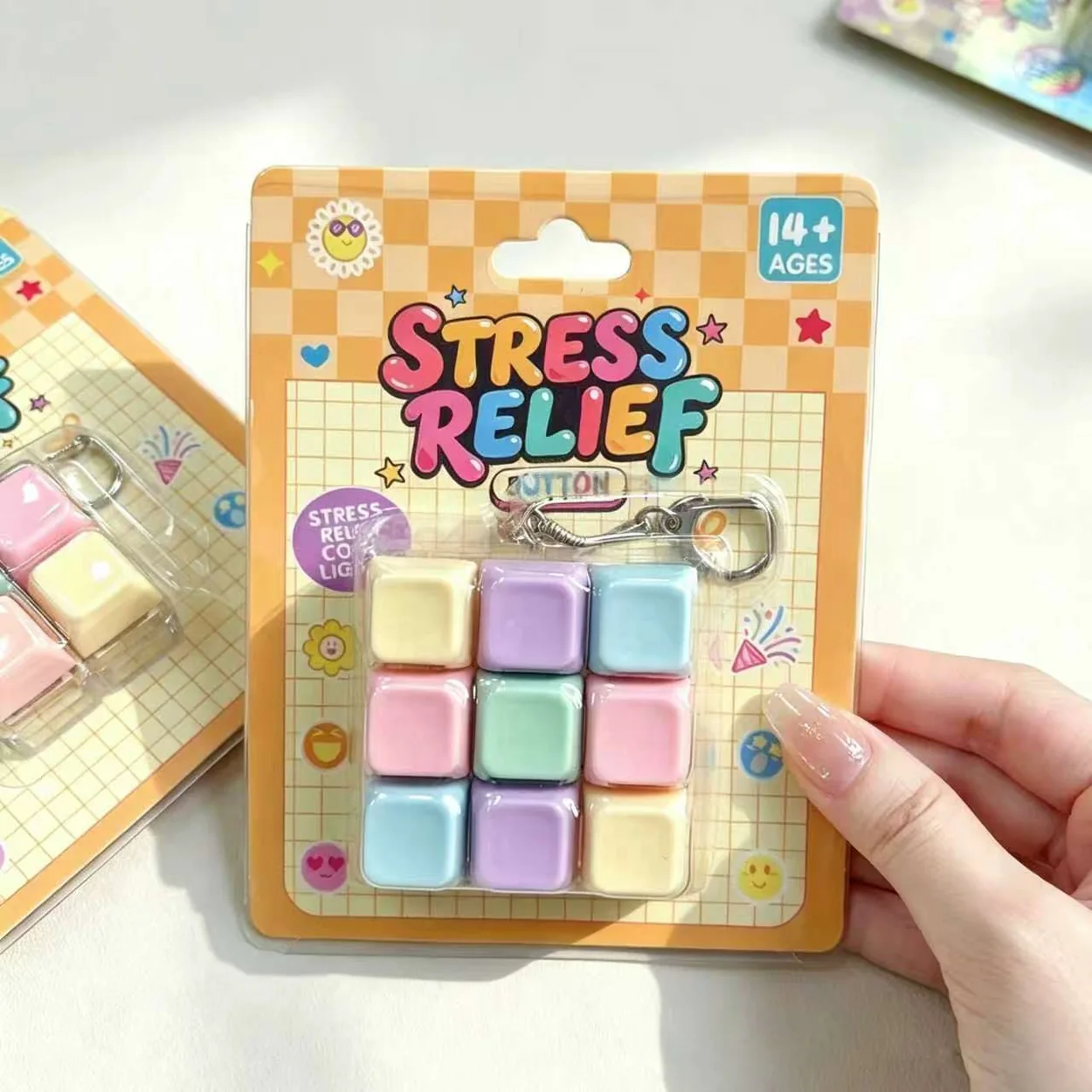
A fidget keyboard receiving checklist should connect each incoming line to its exact SKU, key layout, feature version and package. Count against the purchase order, review the agreed sample of goods and record exceptions before stock is released for sale. A delivery labeled “fidget keyboards” is not detailed enough when several related versions share similar photographs.
This guide covers the warehouse handoff for an approved order. It is not a universal inspection standard or a substitute for any formal testing, sampling plan or destination-market review required for the selected product.
Prepare the reference file before the cartons arrive
Give the receiving team the approved purchase order, SKU list, packing information and product photographs. Include the selected key count, light-up or non-light status, color or style, unit package and any custom artwork reference.
Use the full supplier code alongside your buyer SKU. In the 1-Key Fidget Keyboard Keychain series, LC-01 and LC-02 identify different light-feature options. A picking sheet that shows only the family name makes those lines harder to distinguish.
Include the actual accepted changes if the order was revised after the first quotation. The receiving file should describe the final approved selling unit rather than the earliest product image sent during sourcing.
Reconcile cartons, packs and pieces
Record the number of cartons received and compare their marks with the packing list. Note missing, extra or visibly damaged cartons before their contents are mixed into general stock. Keep the delivery reference with the receipt record.
Then reconcile quantities using the units defined in the order. Pieces, inner packs and retail displays are different counting levels. Confirm how many saleable units each pack represents rather than assuming that the carton label and purchase order use the same unit.
For mixed cartons, record the quantity by exact SKU and selected version. A correct total piece count can still contain the wrong ratio of light-up and non-light products. Resolve the line-level difference even when the grand total matches.
Match identity before checking function
Compare the product with the approved photographs and sample reference. Check key layout, body style, color and package. For customized goods, compare the artwork version and placement as well as the base product identity.
Do not use the family photograph alone to distinguish a light-up version. The product code, package marking and approved operating reference should agree. If the package does not clearly identify the version, record the problem and ask how the incoming stock should be verified and labeled under the agreed process.
The fidget keyboard catalog can help resolve a product reference, but the dated order documents control what the shipment was expected to contain. A current catalog change should not silently replace the approved specification for goods already purchased.
Follow the agreed functional review
Use the receiving sample size and method agreed for your order. Record which cartons and units were checked. This article does not prescribe a universal percentage or number of key presses because the appropriate plan depends on the order and the buyer's requirements.
During normal operation, observe key alignment, press action, return behavior and any unintended movement of the housing. For a confirmed light-up version, follow the supplier's instructions to review activation and the visible result. Keep tactile and light observations separate so an issue can be described precisely.
Do not disassemble the product or replace components unless an appropriate procedure has been provided. A modified unit may no longer represent the supplied assembled toy. If a result is unclear, retain the unit and request guidance rather than guessing that the behavior is normal.
Inspect the selling unit, not just the loose toy
Check that the unit package matches the approved format and contains the intended product. Review visible print, product identity and barcode against the approved files. A barcode scan can be a useful check in the buyer's own system, but a successful scan does not prove that every other package requirement is correct.
For a keychain format, inspect the attachment as supplied and record visible concerns. Do not assign an untested carrying capacity or pull-force rating. The keychain attachment and retail card guide addresses the additional package and presentation questions for that format.
Where the product has operating information, compare it with the selected version. Keep any light-related description aligned with the actual unit. Do not release non-light goods in packaging that presents an unverified light feature as included.
Record exceptions so they can be resolved
| Receiving field | Evidence to keep |
|---|---|
| Order and delivery reference | Purchase order, packing list and receipt date |
| Product identity | Full SKU, selected version and package reference |
| Count result | Cartons, packs and pieces by order line |
| Review scope | Cartons or units selected and checks performed |
| Exception | Specific observation, quantity affected and photographs |
| Stock decision | Released, held or awaiting an agreed corrective action |
Separate held stock from available stock while an exception is reviewed. If the supplier requests more evidence, keep it tied to the same case and product reference. The response should identify the affected quantity and the action that closes the issue.
After release, give the retail team the correct version mapping and images. A receiving check loses much of its value if verified stock is then listed under the wrong feature or picked using an ambiguous family name.
Prepare the next order from a reliable receipt
Save the completed record with the approved sample file. It provides a clearer starting point for a reorder than memory of whether the delivery “looked fine.” Use recurring documented issues to improve the next specification or receiving instruction without presenting a small sample as a statistical claim about the whole product range.
Before your next shipment, send Ruiwo Toys the selected keyboard codes and receiving requirements. Confirm the version list, final packing information and evidence needed for approval so purchasing, the supplier and the warehouse work from the same record.